Posts

Featured Posts

Start Your Journey with Linux Command Line

Image
Start Your Journey with the Linux Command Line: A Comprehensive Guide Whether you are a software developer, system administrator, analytics engineer, or cybersecurity enthusiast, mastering the Linux command line (terminal) is one of the single most effective skills you can acquire. While graphical user interfaces (GUIs) offer visual convenience, the command line interface (CLI) delivers unmatched speed, fine-grained system control, and seamless automation capabilities. Linux Command Line This tutorial breaks down more than 35 core Linux commands into structured, practical modules complete with real-world examples, flags, and command-chaining techniques. By building muscle memory around these fundamentals, you will elevate your daily technical workflow from basic navigation to advanced command orchestration. Why Learn the Command Line? The Linux CLI is not merely a legacy tool—it remains the foundation of modern cloud architecture, server maintenance, DevOps pipelines, and enterp...

فهم أنواع البيانات العددية في بايثون: الأعداد الصحيحة والأعداد العشرية

Image
أنواع البيانات العددية في بايثون الأعداد الصحيحة والأعداد العشرية نظرة علي الأعداد الصحيحة (Integers) والأعداد العشرية (Floats): الأعداد الصحيحة (Integers): هي أرقام بدون جزء كسري. يمكن أن تكون موجبة أو سالبة أو صفر. لا تحتوي على فواصل. أمثلة: 1، 2، 3، -4، 0. العمليات الحسابية: الجمع، الطرح، الضرب، القسمة. أمثلة:  x = 5 y = 15 print ( f 'SUM: { x + y } ' ) # الجمع = 20 print ( f 'SUBTRACTION: { x - y } ' ) # الطرح = -10 print ( f 'MULTIPLICATION: { x * y } ' )   # الضرب = 75 print ( f 'DIVISION: { x / y } ' ) # القسمة = 0.3333333333333333 print ( f 'MODULUS: { x % y } ' ) # الباقي = 5 print ( f 'EXPONENTIATION: { x ** y } ' ) # المربع = 9765625 print ( f 'FLOOR DIVISION: { x // y } ' ) # القسمة الصحيحة = 0 الأعداد العشرية (Floats): هي أرقام تحتوي على جزء كسري. يمكن أن تكون موجبة أو سالبة أو صفر. يتم كتابة الجزء الكسري بعد النقطة العشرية. أمثلة: 1.5، 2.75، -3.14، 0.0. العمليات الحسابية: الجمع، الطرح، الضرب، القسمة...

بايثون | المتغيرات variables

Image
 ماهي المتغيرات في بايثون؟ python variables المتغيرات في بايثون تعريف المتغيرات variables في لغة بايثون: المتغيرات  variables  في لغة البرمجة بايثون Python هي رموز تُستخدم لتخزين القيم  values التي تُستخدم في البرنامج. يمكن أن تمثل المتغيرات أي نوع من أنواع البيانات data types ، بما في ذلك الأعداد الصحيحة integers ، الأعداد العشرية floats ، النصوص texts/txt ، القيم المنطقية Bollean (True, False)، والمصفوفات arrays (tuple, set, list, dictionary). في Python، يمكنك تعيين قيمة للمتغير مباشرة، دون الحاجة إلى تحديد نوع البيانات مسبقًا. على سبيل المثال، يمكنك تعيين القيمة 4 للمتغير `my_int` بكتابة  my_int = 4 .  بعد ذلك، يمكنك استخدام المتغير `my_int` في برنامجك بدلاً من العدد 4. إذا قمت بتعيين قيمة جديدة للمتغير، فإن القيمة القديمة ستُستبدل بالقيمة الجديدة. على سبيل المثال، إذا كتبت " my_int = "Hello ، فإن المتغير `my_int` سيحمل القيمة 'Hello' بدلاً من 4. المتغيرات في Python تُعتبر أشبه بصناديق تحتفظ بداخلها  بالقيم. يُستخدم اسم المتغير للإشارة إلى القيمة ال...

7 Reasons Why You Need to Learn English

Image
Why you need to Learn English Language Right Now? English Learning Open the Door to the World: Why English is Essential in Today's Landscape English has transcended its origins to become the lingua franca of our interconnected world. Its significance extends far beyond casual conversation, offering a key to unlock countless opportunities across various domains. Whether you envision professional growth, academic exploration, enriching travel experiences, or simply expanding your horizons, mastering English empowers you to connect, contribute, and thrive in a globalized environment. Invest in Your Future: In today's competitive job market, fluency in English sets you apart. From multinational corporations to international organizations, English proficiency is often a prerequisite for securing dream jobs and pursuing lucrative careers. This language opens doors to top universities and research institutions, granting access to a wealth of knowledge and esteemed academic programs. B...

How to Deactivate Screen Reader in Kali Linux

Image
How to Manage or Disable the Orca Screen Reader in Kali Linux How to deactivate screen reader in Kali Linux Have you ever logged into your Kali Linux machine only to be met by a voice narrating every mouse movement and keystroke? While accessibility tools are vital, having a screen reader unexpectedly activate can be distracting—especially when you're in the middle of a terminal session. What is ORCA or the Screen Reader in Kali Linux? The screen reader in this case is called " ORCA ". Orca in the context of Kali Linux, or any other Linux distribution, is a free, open-source screen reader that provides access to the graphical desktop environments. It is designed to help visually impaired users use software applications and navigate the operating system. Orca works by converting on-screen content into speech and Braille output, enabling users who are blind or have low vision to interact with their computers more easily. If this behavior is annoying or it has been accedentl...

Murphy's Law: Expect the Unexpected

Image
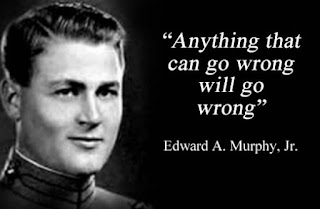
  Have you ever heard of Murphy's Law? Murphy's Law What is Murphy's Law? It's a principle that states, "Anything that can go wrong will go wrong." This law, also known as Murphy's Principle or Murphy's Rule, highlights the tendency of things to go awry and cause problems. Understanding Murphy's Law can help us prepare for potential setbacks and approach them with a proactive mindset. In this blog post, we'll explore the essence of Murphy's Law and its significance in various fields. The Origin of Murphy's Law: Murphy's Law finds its roots in the work of an American aerospace engineer named Edward Murphy. During the 1950s, Murphy discovered that errors in technical designs often occurred due to the neglect or oversight of potential failure factors. This realization led to the formulation of what we now know as Murphy's Law. At its core, Murphy's Law suggests that if something has the potential to go wrong, it will undoubtedl...

Python : Generate Fake Data

Image
Generating Fake Data using Python and Faker Library Fake Data with Python Code Explanation and Usage: The provided code showcases how to generate fake data using Python and the Faker library. Here's a breakdown of the code and its usage: 1- Importing Dependencies: The code begins by importing the necessary modules: csv and Faker. The csv module is used to handle CSV file operations, while the Faker module is responsible for generating fake data. 2- Initializing Faker and Data List: The code creates an instance of the Faker class and initializes an empty list called data. This list will store the generated fake data to use it later in the file that we will create. 3- Generating Fake Data: A for loop is used to iterate "n" times, generating fake data for each iteration. The generated data is stored as a dictionary with keys representing the headers ('Name', 'Date of Birth', 'Email', 'Phone Number', 'Address') and values generated by ...

python | What is a for Loop?

Image
Mastering the Python for Loop: A Beginner’s Guide for loop In Python, the for loop is an essential tool for automation. It allows you to execute a block of code repeatedly for every item in a sequence—whether that’s a list of names, a range of numbers, or rows in a database. The Anatomy of a for Loop Before we look at the code, let's break down the syntax: The Keyword: Every loop starts with for. The Iterator Variable : A temporary name (like x or item) that holds the value of the current element. The Sequence : The collection you want to travel through (a list, string, or range). The Colon : Signals the start of the loop body. Indentation : The "action" part of the loop must be indented to the right. Understanding the range() Function As seen in our initial example, range(5) is a common way to generate a sequence: for x in range(5):     print(x) Output : 0, 1, 2, 3, 4 Key Takeaway :Python is zero-indexed . This means range(5) starts at 0 and stops before 5. It generates...

Popular Posts

PROJECT MAVEN | The Architecture of Algorithmic Warfare

Open Source: The Invisible Engine of Your Daily Life

Data Analysis Roadmap 2026: From Excel Lover to Python-Powered Analyst

Python 4.3.1.10 LAB: Converting fuel consumption

Python for Windows Beginners: Build Your First Automated Workflow in 10 Minutes