Online Language Translation Applications vs Face-to-Face Learning

|
| Translation Applications |
The significance and prevalence of online language translation applications have grown dramatically over recent years, driven by rapid global integration. People from vastly different geographical locations, educational backgrounds, and cultural origins increasingly rely on mobile applications to learn, comprehend, and translate foreign languages. While reliance on automated tools presents certain drawbacks for traditional education, the overall benefits of instant digital translation significantly outweigh the negatives in modern communication.
The Rise of Mobile Translation Tools
|
| Translation phone apps |
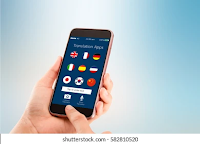
Consistent access to smartphones has proven tremendously beneficial for both social networking and global business careers. As international relocation and cross-border commercial partnerships become standard, acquiring or navigating a second language has transformed from an asset into an absolute necessity. Mobile translation software directly solves these communication barriers by delivering immediate, accessible answers on demand.

|
| Google Store and App Store |
For instance, platforms like the Google Play Store and Apple App Store offer both paid and free applications such as Duolingo, Google Translate, Grammarly, and Ginger. These tools instantly translate text and speech across multiple languages, allowing crucial personal and business interactions to take place without friction.
Pros and Cons: Digital Apps vs. Traditional Instruction
While software provides unmatched convenience, its rapid adoption directly impacts traditional educational structures.

|
| Native tutor |
Reports published in major media outlets, such as The Times newspaper, highlight a notable decline in demand for bilingual tutors and native language instructors. More learners choose accessible mobile apps over the substantial financial and time investments required for traditional tutoring.
| Category |
Online Translation Applications |
Face-to-Face Native Tutoring |
| Speed & Availability |
Instant, 24/7 access from any device. |
Requires fixed appointments and travel time. |
| Cost Structure |
Free or low-cost subscription options. |
High hourly rates for qualified instructors. |
| Depth & Fluency |
Ideal for quick, literal, transactional translations. |
Essential for cultural nuance, context, and mastery. |
Key Takeaway: Mobile translation apps excel at immediate situational problem-solving, but human instructors remain vital for mastering cultural nuance and deep conversational fluency.
Navigating the Future of Language Learning
Online translation tools offer reliable, fast, and accessible solutions for instant communication across borders. As artificial intelligence and natural language processing continue to refine these platforms, their precision and adaptability will only improve. Embracing these tools alongside traditional learning methods provides the most effective framework for operating in an interconnected world.
Choosing the Right Translation App for Your Needs
Not all translation tools are created equal, and the best choice depends on how you plan to use them. For quick, on-the-go conversation, camera-based and voice translators such as Google Translate excel at reading menus, signs, and spoken phrases instantly. For writing where accuracy matters, such as business email or academic text, tools that support sentence-level context, custom glossaries, and human review options are worth considering.
Offline support is another practical factor. Many apps allow language packs to be downloaded so you can translate without a data connection, which is invaluable while traveling. Privacy is equally important, especially if you are pasting contracts or confidential messages; check whether the service stores your translations and how it uses them before relying on it for sensitive material.
Translation Apps as a Learning Aid
Beyond quick translation, these applications can support genuine language acquisition. Features such as spaced-repetition flashcards, pronunciation playback, and interactive quizzes turn a simple translator into a study companion. The most effective approach is to use the app to reveal the meaning of a word you have already encountered, then to test yourself from memory, rather than translating whole sentences lazily.
This is where the debate over digital apps versus traditional tutoring becomes practical: apps provide convenient practice and instant feedback, while a human tutor offers correction, cultural nuance, and structured conversation. Rather than trusting one over the other, many learners blend the two, using apps for daily maintenance and reserving tutoring sessions for conversation and tricky grammatical points.
Key Takeaways
- Translation apps offer instant, accessible, and affordable communication and are especially strong for on-the-go and travel use.
- Choose an app based on your use case: conversational, written accuracy, offline availability, or active language learning.
- Combining apps with traditional instruction gives the best balance of convenience and depth.
- Consider practicality around privacy and data use when handling sensitive text.
Frequently Asked Questions
Are free translation apps accurate enough for work?
For casual communication they are often sufficient, but for formal or technical writing you should review output carefully, since automatic translations can miss cultural nuance, idioms, and domain-specific terms.
Can I really learn a language using only an app?
You can build a strong foundation in vocabulary and basic grammar, but speaking, listening, and cultural fluency usually improve much faster with human practice and feedback alongside an app.
Do translation apps work without an internet connection?
Many do, as long as you download the relevant language packs in advance. This makes them reliable companions for international travel in areas with poor connectivity.
Explore More Technical & Analytical Guides: For technical tutorials, data analysis breakdowns, and software development guides, visit CodeSecure on YouTube and join the discussion in our community on the Python Cafe Facebook Group.


absolutely amazing article. I know that human translators suffer because of translation applications, but for me, if I have a translation project, I would still prefer to have a human translator.
ReplyDeleteThank you for reading the article and it's an honor. I totally agree that technology can never substitute the role of humans, specially tutors and translators.
Delete